RocketFish RF-MSE12 User's Guide Page 4
- Page / 32
- Table of contents
- TROUBLESHOOTING
- BOOKMARKS

- Desktop 2.4G Laser Mouse 1
- User Guide 1
- Rocketfish RF-MSE12 2
- 3RF-MSE12 3
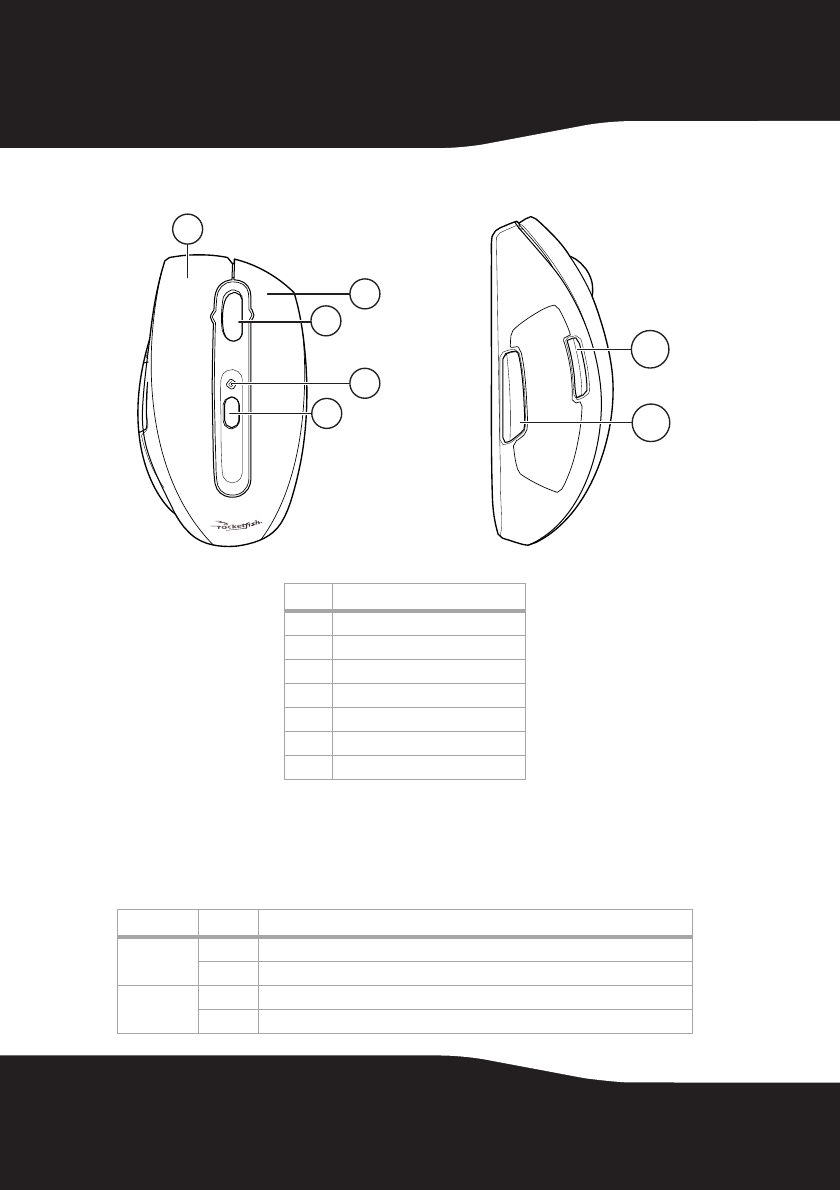
- Identifying components 4
- Identifying status indicators 4
- 5RF-MSE12 5
- Setting up the mouse 5
- To install the Mouse Suite: 6
- 7RF-MSE12 7
- Connecting the mouse 8
- 9RF-MSE12 9
- Using the mouse 10
- 11RF-MSE12 11
- Starting Mouse Suite 12
- 13RF-MSE12 13
- Field/Button Description 14
- Function Description 14
- 15RF-MSE12 15
- Using the Hyperlink function 16
- 17RF-MSE12 17
- Setting the orientation 18
- 19RF-MSE12 19
- Setting the tilt scroll wheel 20
- 21RF-MSE12 21
- Setting the scroll speed 22
- 23RF-MSE12 23
- 25RF-MSE12 25
- Troubleshooting 25
- Legal notices 26
- 27RF-MSE12 27
- 29RF-MSE12 29
- One-Year Limited Warranty 29
- 31RF-MSE12 31
Related products and manuals for Mice RocketFish RF-MSE12


 (128 pages)
(16 pages)
(28 pages)
(16 pages)
(56 pages)
(44 pages)
(128 pages)
(16 pages)
(28 pages)
(16 pages)
(56 pages)
(44 pages)
© 2020, manymanuals.com. All rights reserved. | 0.031 s |
 Manymanuals.com
 Manymanuals.de
 Manymanuals.fr
 Manymanuals.it
 Manymanuals.pl
 Manymanuals.cz
 Manymanuals.es
 Manymanuals-pt.com
Comments to this Manuals